The Best Supplement Tracker Apps for iPhone in 2026
A practical buyer's guide: the features that matter in a supplement tracker, a checklist to compare apps, and fair summaries of six iPhone apps.
7 min read
The best supplement tracker app is the one that fits how you take supplements. Supin (Supplement Tracker AI) builds a routine from your goals and the bottles you own, with a reason for each product. SuppCo focuses on product and brand quality. Supplements AI focuses on timing. Medisafe and MyTherapy are made for medications, and Cronometer tracks nutrients from food.
This guide explains what a supplement tracker should do, gives you a checklist to compare apps against, and sums up six iPhone apps. App descriptions come from each app's own App Store listing as of October 2026. Listings change, so check the current page before you download.
What should a supplement tracker app do?
At minimum it should remind you, record what you took and show your history. The better ones also know why each product is in your routine, read labels so you don't type everything in, and warn you before a bottle runs out.
A good app also helps you keep a full record. The NIH Office of Dietary Supplements suggests keeping a complete record of the supplements and medicines you take. For each one, note the name, how much you take, how often and why, then share it with your health care providers[1].
The checklist: features that matter
| Feature | Why it matters | What to check |
|---|---|---|
| Reminders by time of day | Supplements are often split between morning, meals and bedtime. | Separate reminders for each part of the day, and a way to log a dose from the notification. |
| Why each supplement is there | A list of bottles doesn't tell you what each one is for, or whether two overlap. | A reason shown next to every product. |
| Label scanning | Typing in every ingredient takes a long time and invites mistakes. | Scanning that reads the Supplement Facts panel, not only a barcode lookup. |
| Daily nutrient totals | A multivitamin, a single vitamin and fortified foods can add up to more than you think[1]. | Totals per nutrient taken from the labels, with % Daily Value. |
| Supply and refills | Running out breaks a routine. | A pills-left count that goes down as you log doses, and a heads-up before the bottle is empty. |
| Pillbox support | Many people fill a weekly organiser. | Guidance on what goes in each compartment. |
| Lab results | People often start a supplement because of a blood test. | Results compared with your own lab's reference range and followed over time. |
| Privacy | Your supplements, medicines and labs are health information. | The App Privacy section of the App Store listing, ads, data selling and in-app account deletion. |
| Export for your doctor | Your doctor or pharmacist needs the full picture[1]. | A PDF or file you can share. |
Which are the best supplement tracker apps for iPhone?
1. Supin (Supplement Tracker AI): best for a routine built around you
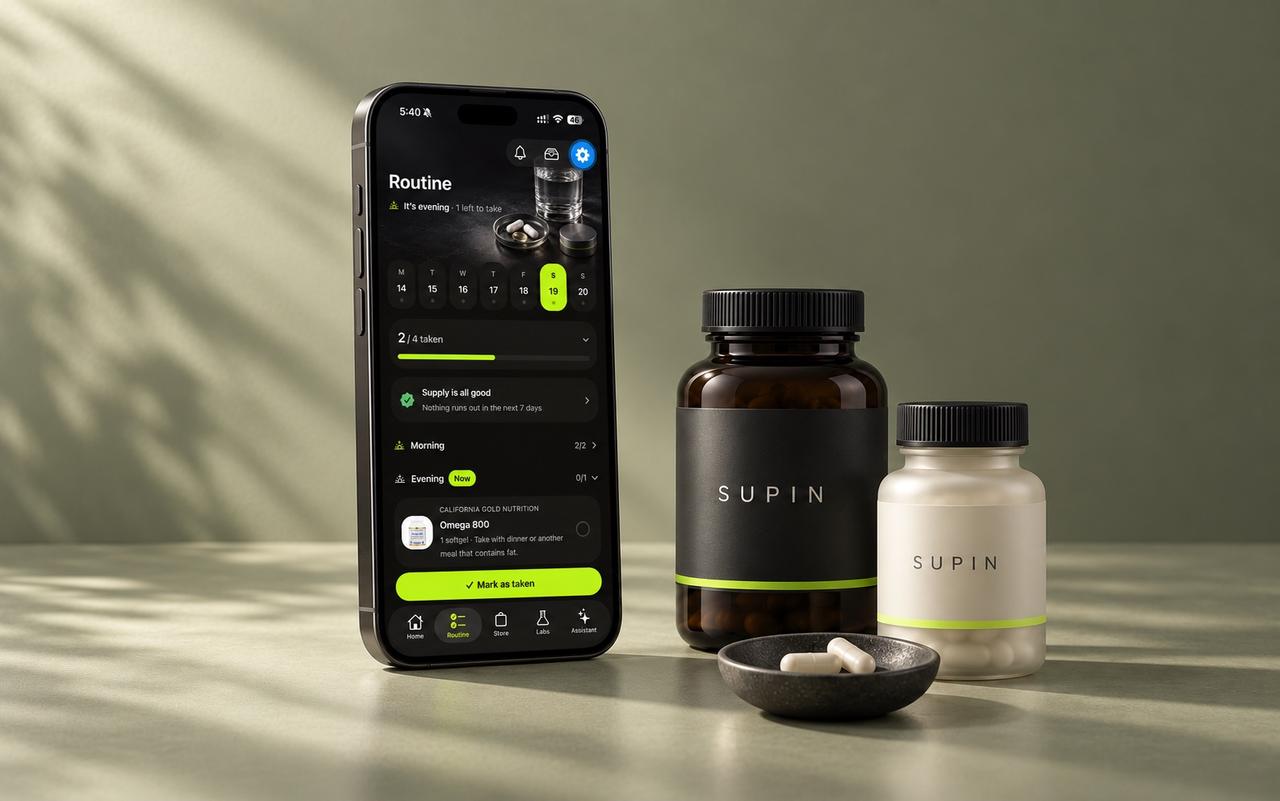
Supin builds a daily routine from a short questionnaire: up to five goals, your diet, what you already take, and health flags such as pregnancy, medication or allergies. It gives the reason each product is there[2]. You photograph your bottles to add them to your shelf, and every product gets a 0–100 fit score with the reasons behind it.
It then runs the routine. You get reminders for morning, noon, evening and bedtime, a pills-left count, a heads-up about five days before a bottle runs out, guided pillbox filling and daily nutrient totals from the labels. You can upload lab reports from a PDF or photo; the file is read once and never stored. The AI features, including routine building, the assistant, scans and lab analysis, run only after you allow them. A doctor report (PDF or CSV) is coming in the next update.
Best for: people who want one plan for everything they own, with the reasoning shown. Read the full overview of Supin.
2. SuppCo: best for checking product and brand quality
SuppCo's listing (as "SuppCo: Supplement Scanner") describes a large supplement database. You build your "stack", get a schedule with daily reminders and see your overall nutrient totals[3]. It rates your routine with its own stack-analysis algorithm. It also scores supplement brands with a "TrustScore" based on things like certifications and testing, and offers goal-based protocols.
Best for: people who mainly want to compare products and brands before they buy.
3. Supplements AI – Stack Tracker: best for timing-focused schedules
Supplements AI describes a timeline view of when to take each supplement during the day. It also lists reminders, a daily log, stack analysis for combinations and "meal-aware" planning that marks what to take with food[4]. It adds daily well-being logs (mood, energy, focus, sleep) and a "Nutrient Checkup" questionnaire. At the time of writing, its listing describes a label scanner as "coming soon".
Best for: people who want a timed daily schedule plus a mood and energy journal.
4. Medisafe: best when supplements sit next to prescriptions
Medisafe is a medication manager. Its listing describes medication reminders, refill reminders, family accounts and a PDF progress report you can send to your doctor[5]. In the US it also offers drug-to-drug interaction warnings and lets you import medications from Health Records on iPhone. Supplements can be tracked like any other medicine, but it isn't built around supplement goals or labels.
Best for: people who take prescription medicines and want supplements in the same reminder app.
5. MyTherapy: best for medication and a health diary
MyTherapy (listed as "Pill Reminder MyTherapy") offers flexible pill reminders with snooze, a medication plan and log, and refill and prescription reminders[6]. It also covers 20+ health measurements such as blood pressure and weight, a symptom diary, Apple Health sync, reports for your doctor and family profiles.
Best for: people managing a condition who want reminders, measurements and symptoms in one diary.
6. Cronometer: best for nutrients from food and supplements together
Cronometer is a nutrition tracker and food diary that tracks calories, macros and many vitamins and minerals[7]. You add supplements the same way as food: search its database, scan a barcode in the mobile app, or create a custom entry[8]. It's built for logging food, so there is no supplement routine or refill tracking.
Best for: people who log their meals and want supplement nutrients counted alongside food.
How do I choose the right supplement tracker?
- Start with your main problem. Forgetting doses calls for good reminders. Not knowing why you take something calls for an app that explains it. Running out calls for supply tracking.
- Count your products. With one or two bottles, any reminder app works. With a full cupboard, scanning and nutrient totals save time.
- Check privacy before you sign up. Read the App Privacy section on the listing and look for in-app account deletion.
- Plan for your doctor. Choose an app that can share your list, and bring it to appointments, especially if you take medication[1].
Once you've picked an app, these guides help you set it up well: how to build a supplement routine you'll stick to, when to take each supplement and how to read a supplement label.
How Supin helps
- Builds a routine from your goals, diet, health flags and the bottles you already own, and shows why each product is in it.
- Scans labels bottle after bottle and adds a 0–100 fit score with reasons.
- Reminders for each part of the day, pills-left counts and a running-low heads-up.
- Daily nutrient totals from your labels, with % Daily Value where the label gives it.
- Lab results compared with your lab's own range; the uploaded file is never stored.
Try Supin free on the App Store. A subscription unlocks the app, with a free trial for eligible new subscribers.
FAQ
Many apps are free to download, but what's free differs from app to app. Check the in-app purchases on each App Store listing. Supin is a subscription with a free trial for eligible new subscribers.
Yes. Medication apps such as Medisafe and MyTherapy can remind you about any pill, vitamins included. They don't usually read supplement labels or add up nutrients.
A vitamin tracker such as Cronometer usually counts nutrients from what you eat and log. A supplement tracker manages the products you take: reminders, schedules, supply and, in some apps, labels and reasons.
Some apps flag possible problems. Medisafe offers drug-to-drug interaction warnings in the US, and Supin flags products for a pharmacist when you take prescription medication. No app replaces your pharmacist, so ask them before combining supplements with medicines.
Supin lets you upload a lab report as a PDF or photo, confirm the values and follow each marker against your lab's own range over time.
Sources
- NIH Office of Dietary Supplements — Dietary Supplements: What You Need to Know
- Supplement Tracker: AI (Supin) — App Store
- SuppCo: Supplement Scanner — App Store
- Supplements AI – Stack Tracker — App Store
- Medisafe Medication Management — App Store
- Pill Reminder MyTherapy — App Store
- Cronometer: Calorie Counter — App Store
- Cronometer Support — How do I add a supplement to my diary?
Educational information, not medical advice. Check with your doctor or pharmacist before starting or changing supplements, especially if you take medication, are pregnant or have a health condition.