
AI assistant
Ask about your supplements.Get answers about you.
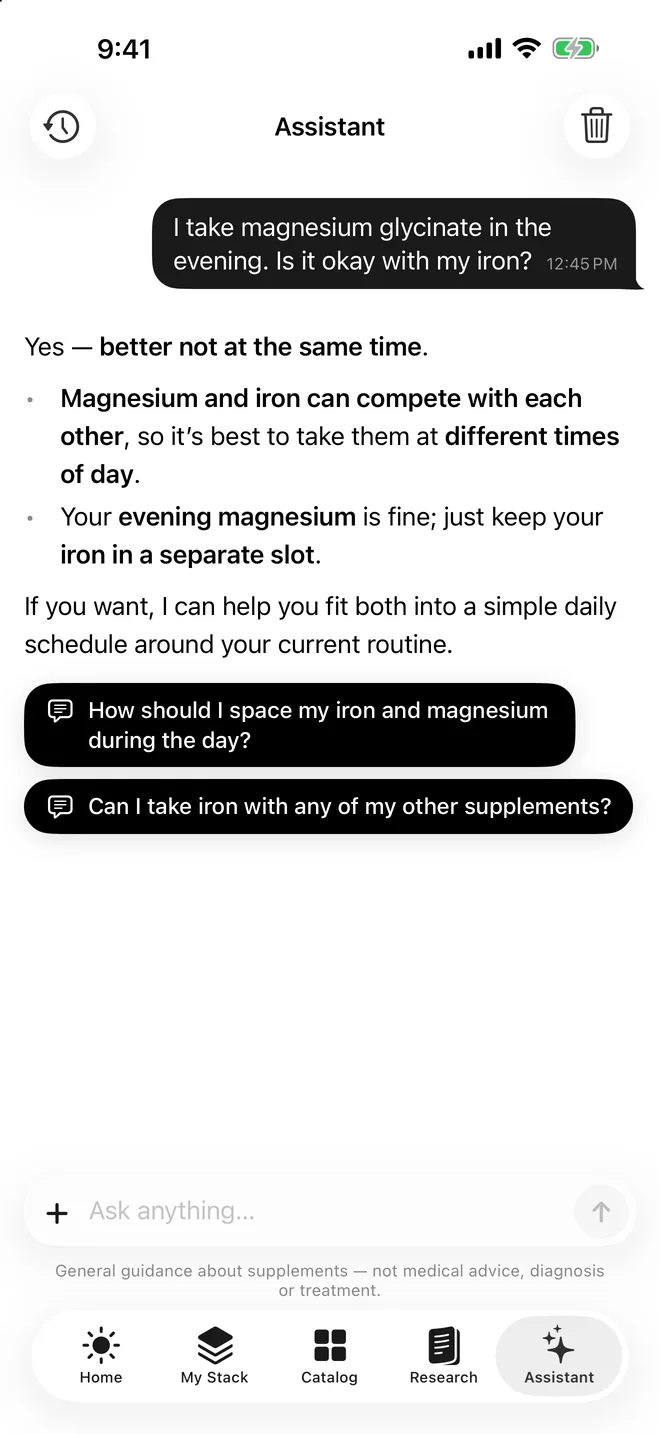
Suppin's assistant knows your routine and shelf. Ask about timing or combinations, or send a photo or PDF, like a lab report, to have it explained.
Educational guidance, not medical advice.

How it works
- 1
Allow the AI features
The “Suppin uses AI” screen lists what is sent and why. Nothing is sent until you allow it.
- 2
Ask in your own words
About timing, combinations, a product, or anything in your routine.
- 3
Attach a photo or PDF
A label, a product, or a lab report you want explained in plain language.
- 4
Follow up
Tap a suggested next question, or open the product or screen it points to.
What the assistant is
The assistant is a chat inside Suppin for questions about supplements, with your own routine in view. Instead of generic answers, it can look at your answers, your routine, your shelf and what you've marked as taken, and search the catalog of over 17,000 products. While it works it shows its steps, such as checking your routine or checking interactions. It is for everyday questions like “When should I take magnesium?” or “Does this overlap with my multivitamin?”, not for diagnosis or treatment.
Photos and PDFs, including lab reports
You can attach photos and PDF files to a message. Send a picture of a bottle to ask what it is and whether it fits your routine, or send a lab report to have it explained in plain language: which results are outside the lab's own range, what those markers measure, and whether a result is worth discussing with your GP. Nothing is extracted into the app or stored, and files are never saved. The assistant may misread a document, so check the values against the original.
Suggestions, product cards and changes to your routine
Under each reply, the assistant offers a few follow-up questions or actions you can tap. When it mentions products, it shows them as cards you can open. If a change to your routine makes sense, it proposes it and asks first; it saves a change only after you clearly agree, and every change goes through the same safety checks as a routine the app builds. You can keep several conversations, go back to earlier ones, or clear one to start fresh.
When it works and what it sends
The assistant runs only after you allow the AI features. The permission screen explains that your answers, the products you own and take, what you ask, and any photos or files you attach are sent to an AI service to produce an answer. If you choose “Not now”, nothing is sent and the chat stays off, while the rest of the app, including your rule-built routine, keeps working. You can change your choice in Settings → AI features. We don't use your data to train AI models.
Its limits
The assistant gives general information about supplements. It is not medical advice, diagnosis or treatment, and AI answers can be wrong. It never sets doses from lab values and doesn't decide that you need a supplement to correct a deficiency; that is for your doctor. If a lab marked a result as critical, it tells you to contact your doctor. There are daily usage limits to keep the service fair for everyone.
Questions about ai assistant
Yes, once you've allowed the AI features. To answer, it can look up your questionnaire answers, your routine, your shelf, what you've marked as taken and products in the catalog. That is how it can say whether a new product overlaps with something you already take, or when in your day it would fit.
You can send a lab report to the assistant as a photo or PDF. It explains the results in plain language against the range printed by your lab and says what is worth discussing with your GP. Nothing is saved: the app no longer stores or tracks lab results, and it never sets doses from them.
Only if you agree. It can propose a change in the chat, such as pausing a product or adding one that fits your goals, and asks before doing anything. When you agree, the change is saved through the same safety checks the routine engine uses.
No. It gives general information about supplements and can be wrong. It doesn't diagnose, treat or prescribe, and it doesn't set doses. Talk to a doctor or pharmacist before starting, stopping or changing a supplement, especially if you are pregnant, take medication or have a health condition.
Photos and PDFs you attach are sent with your message so the assistant can read them, and are processed in memory. They are never stored by Suppin, and they aren't saved as files by the AI service either. The conversation text stays in your chat history until you clear it or delete your account.
More answers on the FAQ page.